Wordpress Vulnerability Patching

You manage a website that relies on WordPress. This platform powers over 43% of all websites globally and has led the market for two decades. Hackers often target WordPress sites because they see many chances to exploit weaknesses. Quick action matters. You can protect your site from threats like brute force attacks, outdated plugins, malware, and unauthorised admins. Effective solutions exist for beginners and intermediate users. You will find practical steps and trusted tools to help with wordpress vulnerability patching.
Key Takeaways
Regularly update your WordPress core, plugins, and themes to protect against vulnerabilities. This simple action reduces the risk of attacks.
Use strong passwords and enable two-factor authentication to secure your accounts. These measures block easy access for hackers.
Implement automated tools like Patchstack or Wordfence to scan for vulnerabilities. These tools save time and help you stay ahead of threats.
Limit user permissions to control access on your site. Assign roles carefully to prevent unauthorised actions.
Schedule regular backups of your site to ensure recovery after an attack. Store backups offsite to protect against data loss.
WordPress Vulnerability Patching Steps

Quick Fixes For Vulnerabilities
You can take several quick actions to protect your WordPress site from common threats. These steps help you reduce risk while you work on a more complete wordpress vulnerability patching plan. Many site owners forget to update the WordPress core, plugins, or themes. This mistake leaves your site open to attacks. You should always use strong passwords and avoid using "admin" as your username. Two-factor authentication adds another layer of security.
Here are some quick fixes for the most common vulnerabilities:
Vulnerability Type | Quick Fixes |
|---|---|
Cross-Site Scripting (XSS) | Filter incoming data and use proper response headers. |
Distributed Denial-of-Service (DDoS) | Monitor traffic and increase server bandwidth. |
SQL Injections | Use a web application firewall and change the default database prefix. |
SEO Spam | Keep every plugin updated and use strong passwords with two-factor login. |
Insecure HTTP Website | Install an SSL certificate from a trusted provider. |
Phishing | Be careful with password reset emails and unknown senders. |
Note: Quick fixes help you respond fast, but regular updates and a full patch strategy keep your site safe in the long run.
Automated Patching Tools
Automated tools make wordpress vulnerability patching much easier. Tools like Patchstack and Wordfence Intelligence scan your site for the latest wordpress vulnerability and help you patch issues quickly. These tools save you time and reduce human error. Patchstack works well for agencies and portfolios, offering proactive vulnerability blocking and central management. Wordfence Intelligence gives you real-time alerts about plugin vulnerabilities and helps you act before hackers do.
Pros | Cons |
|---|---|
Proactive vulnerability blocking | Some features need a paid subscription |
Saves time with central management | Initial setup can be complex |
Great for developers and business workflows | May be too advanced for small blogs |
You should check recent statistics on wordpress vulnerabilities. Security breaches can cause data loss, downtime, and SEO damage. Regular updates to your wordpress core, plugin, and themes protect your site from these risks. Automated tools help you stay ahead of threats and keep your site running smoothly.
Why WordPress Vulnerabilities Matter
Risks Of Unpatched Sites
You face serious risks if you ignore wordpress vulnerabilities on your site. Hackers target weaknesses in plugins, themes, and the wordpress core. Studies show that 60% of wordpress websites experienced hacking attempts this year. Most vulnerabilities come from plugins, making regular updates essential. When you leave vulnerabilities unpatched, cybercriminals can steal intellectual property, breach client details, and infect your site with malware. You may also see your search engine rankings drop, which hurts your online visibility.
If you run a business, unpatched sites can lead to legal trouble. Companies like ChoicePoint faced penalties of up to $10 million after data breaches. You risk losing customer trust and sales. Blacklisted emails can block communication with clients. Phishing attacks may target your users, and ransomware can disrupt your business systems.
Common consequences of unpatched wordpress sites:
Loss of brand reputation
Legal repercussions
Theft of sensitive data
Increased phishing and ransomware risks
Drop in search rankings
Communication problems
Recent cases highlight the danger. For example, the Anti-Malware Security and Brute-Force Firewall plugin (versions 4.23.81 and earlier) allowed subscribers to read any file on the server. This vulnerability exposed private information and put many sites at risk.
Benefits Of Timely Patching
You gain many benefits when you practise wordpress vulnerability patching on time. Quick updates fix vulnerabilities before hackers can exploit them. You spend less time on manual maintenance, and your site stays secure in the background. Timely patching also improves your site's performance and capabilities.
Benefit | Description |
|---|---|
Immediate Security Fixes | Patches are applied quickly, reducing exposure to vulnerabilities. |
Less Maintenance Overhead | You spend less time updating plugins and themes. |
Peace of Mind | Your site stays protected with up-to-date security. |
Keeping your wordpress core updated boosts your site's speed and efficiency.
Security patches protect against new threats.
You reduce the risk of data breaches and malware infections.
Wordpress vulnerability patching helps you maintain trust with your users and keeps your business running smoothly. You protect your site, your data, and your reputation by acting quickly.
Common WordPress Vulnerabilities

WordPress powers millions of websites. You need to know the most common vulnerabilities that put your site at risk. Attackers often look for weak spots in plugins, themes, and user accounts. The Open Source Vulnerability Database and recent security reports show that these issues appear again and again. You can protect your site by understanding how these vulnerabilities work and how to fix them.
Plugin And Theme Issues
Plugins and themes add features and style to your WordPress site. Many sites use dozens of plugins. Each one can introduce a new vulnerability. Outdated plugins or themes often have security holes. Attackers use these holes to gain access to your site. The Open Source Vulnerability Database lists thousands of plugin vulnerabilities every year. For example, a recent patch roundup found a critical flaw in the Essential Addons for Elementor plugin. This flaw allowed attackers to reset passwords without permission.
You should always update plugins and themes as soon as new versions appear. Remove any plugin or theme you do not use. Check for reviews and recent updates before you install anything new. Trusted plugins get regular updates and have active support teams. If you use a plugin that has not been updated for months, your site could be at risk.
Tip: Use security tools like Patchstack or Wordfence Intelligence to scan for known plugin vulnerabilities. These tools alert you when a plugin or theme needs patching.
Weak Passwords
Weak passwords make it easy for attackers to break into your WordPress site. Many security breaches happen because users choose simple or common passwords. Hackers use automated tools to guess passwords in seconds. You can stop many attacks by using strong passwords and changing them often.
Here are some password tips you should follow:
Use at least 12 characters with upper and lowercase letters, numbers, and special characters.
Avoid obvious patterns like birthdays, company names, or dictionary words.
Create a unique password for every website, application, and account.
Change your passwords regularly, especially after a suspected breach.
If you use strong passwords, you block one of the easiest ways for attackers to get in. Many experts recommend password managers to help you create and store complex passwords.
File Inclusion And XSS
File inclusion and cross-site scripting (XSS) are two of the most dangerous vulnerabilities in WordPress. Attackers use file inclusion to load malicious files onto your server. XSS lets them inject harmful scripts into your website. Both can cause serious damage.
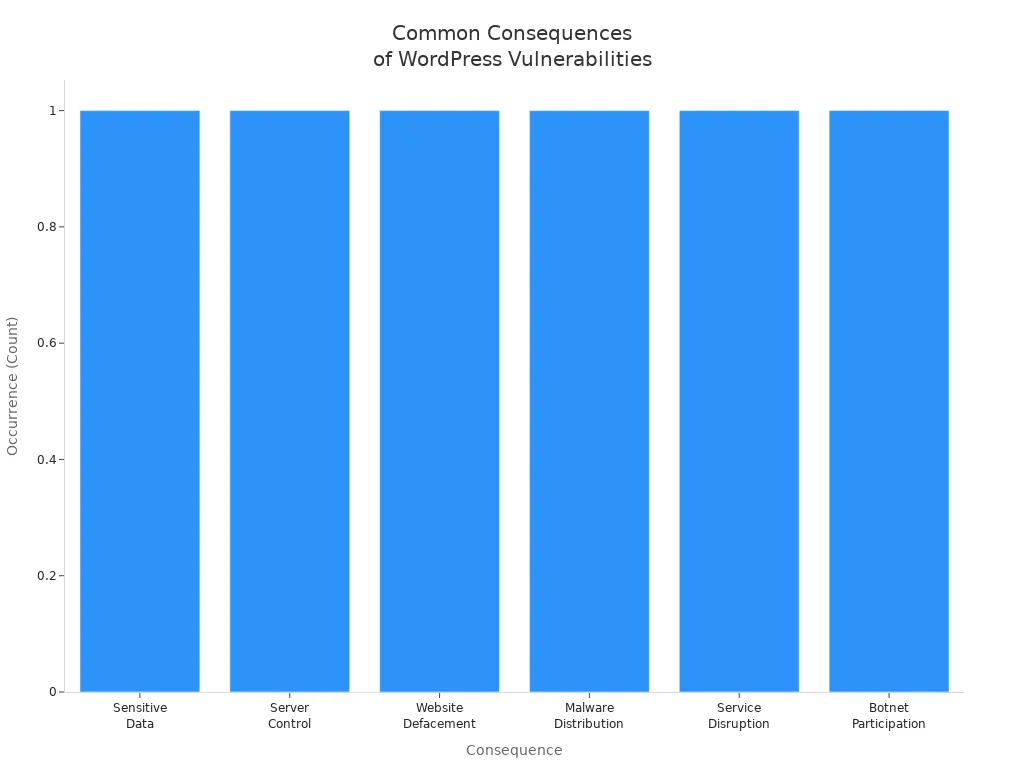
Recent reports show that file inclusion and XSS attacks can lead to:
Consequence | Description |
|---|---|
Attackers can access and steal sensitive data stored on the server, including user credentials. | |
Server Control | Hackers can gain control over the server, allowing them to execute arbitrary code. |
Website Defacement | Hackers can alter the content of the website, harming its reputation. |
Malware Distribution | Attackers can upload and distribute malware through the compromised server. |
Service Disruption | File inclusion attacks can lead to service disruptions, affecting user experience. |
Botnet Participation | Compromised servers can be used as part of a botnet for large-scale attacks. |
You can reduce the risk of these attacks by following a few simple steps:
Escape outputs to clean data before displaying it.
Set up a Content Security Policy (CSP) to limit where scripts can load from.
Run regular security audits to find and fix XSS vulnerabilities.
Sanitize all user inputs before showing them on your site.
WordPress vulnerability patching helps you stay ahead of attackers. You protect your site, your users, and your business by fixing vulnerabilities as soon as possible. Stay alert and keep your WordPress site secure.
Securing WordPress: Best Practices
Update Core, Plugins, Themes
You keep your wordpress site safe by updating the core, plugins, and themes regularly. Updates often include fixes for vulnerabilities and patches for remote code execution risks. Before you update, create a complete backup of your site. Use a staging environment to test updates and avoid disruptions. Start with the wordpress core and themes, then move on to plugins. Disable plugins during updates to prevent conflicts. Never skip updates, as outdated versions are a common entry point for attackers.
Update wordpress core, themes, and plugins to the latest versions.
Always back up your site before making changes.
Test updates in a staging environment.
Avoid skipping updates to reduce vulnerability risks.
Tip: Regular updates mean you patch vulnerabilities before hackers can exploit them.
Limit User Permissions
You control who can access your wordpress site by limiting user permissions. Assign roles based on necessity and avoid giving unnecessary administrative access. Monitor user activities such as logins and changes to site settings. Use plugins like User Role Editor to customise permissions. This approach reduces the risk of a breach and helps prevent unauthorised remote code execution.
Assign roles only when needed.
Monitor user actions for suspicious behaviour.
Customise permissions with dedicated plugins.
Use Security Plugins
Security plugins protect your wordpress site from vulnerabilities and attacks. Choose a plugin that fits your needs. Some plugins offer file integrity monitoring, malware scanning, and login protection. Others provide firewall protection and database backups. The table below shows popular options and their features:
Plugin Name | Key Features |
|---|---|
Sucuri | File integrity monitoring, Blacklist monitoring, Security hardening, Post-hack security actions |
Solid Security | Two-factor authentication, Malware scanning, Lockout feature, Strong password enforcement |
All In One WP Security & Firewall | User account security monitoring, File integrity checking, Firewall protection, Login lockdown |
BulletProof Security | Database backup and restore, MScan malware scanner, Idle session logout, Login security monitoring |
Virtual patching acts as a protective barrier. It filters out malicious traffic and blocks exploitation of known vulnerabilities before you apply a permanent fix.
Regular Backups
Regular backups help you recover your wordpress site after a breach or attack. Schedule backups based on how often you update your site. For active sites, daily or weekly backups work best. Store backups offsite to avoid risks from keeping them on the same server. Test your backups to make sure you can restore your site if needed.
Back up your site as often as you update it.
Use cloud-based, automated backups to reduce human error.
Test backups regularly for successful restoration.
Note: Backups protect your data and ensure business continuity after a breach.
You improve wordpress security by monitoring vulnerabilities through reliable databases. WPScan, NVD, and CVE track new threats and recommended patches. Tools like Sucuri SiteCheck and Wordfence help you scan for vulnerabilities and keep your site secure. Regular monitoring and updates reduce the risk of compromise and keep your wordpress site safe.
You protect your wordpress site by taking simple but vital steps. Update your wordpress core, plugins, and themes as soon as updates appear. Use firewall plugins and scan your wordpress site for vulnerabilities each week. Choose a secure hosting provider and remove unused plugins. Strong passwords and two-factor authentication keep your wordpress accounts safe. Stay proactive with regular checks and use trusted tools to monitor your wordpress security. Review your site today and patch any vulnerabilities you find.
FAQ
What is the best way to keep my wordpress site secure?
You should update your wordpress core, plugins, and themes often. Use strong passwords and install security plugins. Regular backups help you recover your site after an attack. Scan your site for vulnerabilities every week.
How do I know if my wordpress site has a vulnerability?
Security plugins can scan your wordpress site for known issues. You can check reports from trusted sources. If you see strange activity or errors, you should investigate further. Always monitor your site for changes.
Can I patch vulnerabilities in wordpress without technical skills?
You can use automated tools to patch your wordpress site. Many plugins offer one-click fixes. Follow simple guides from trusted sources. You do not need advanced skills to keep your site safe.
Why do plugins make wordpress sites vulnerable?
Plugins add features to your wordpress site. Some plugins have weak code or outdated versions. Attackers target these plugins to gain access. You should update or remove plugins you do not use.
Should I use free or paid security plugins for wordpress?
Free plugins offer basic protection for your wordpress site. Paid plugins give you more features and support. Choose a plugin that fits your needs and budget. Both options help you improve security.
See Also
Recent Insights Into WordPress Vulnerabilities By Patchstack
Top Five Security Plugins For WordPress In 2024
Key Strategies To Safeguard Your WordPress Website
When To Install A Security Plugin For WordPress
Maintaining WordPress: Importance Of Updating Plugins And Themes