Wpvivid vs WP Time Capsule

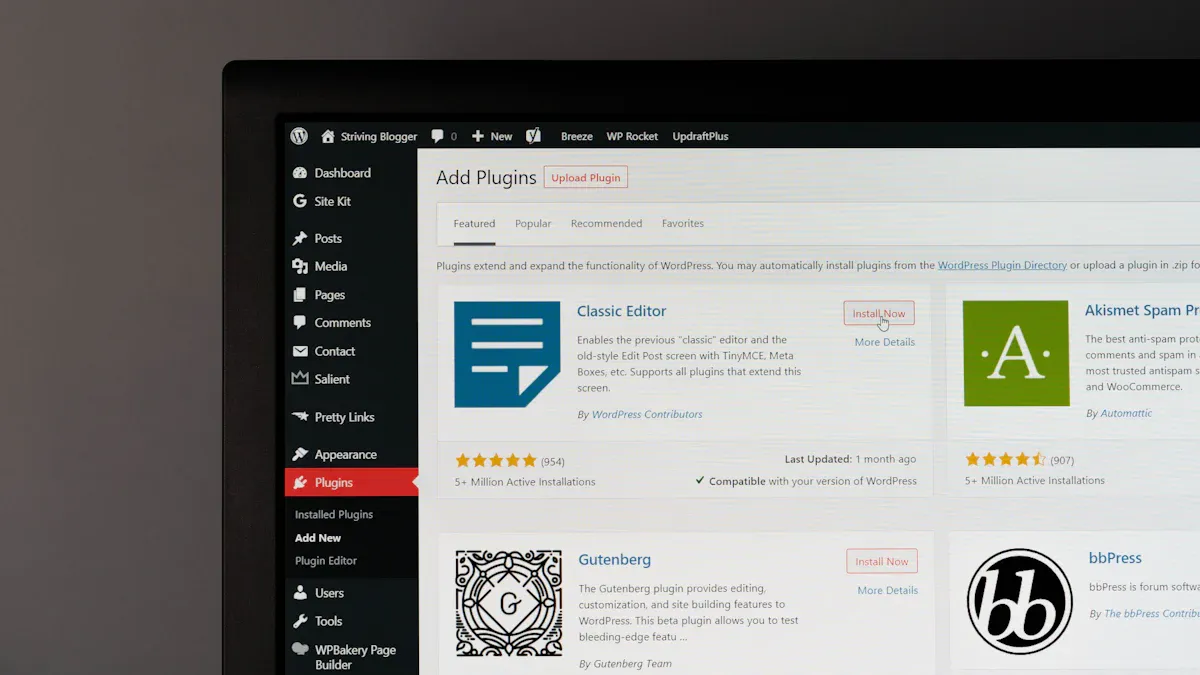
When considering which Wordpress Backup Solution is the right fit, it is important to seek a dependable answer. WPvivid is an excellent choice if you require a comprehensive Wordpress backup solution that provides flexibility and robust support. WP Time Capsule is ideal if you favour a solution with real-time incremental backups. Selecting a trustworthy Wordpress backup solution is crucial, as you need a reliable backup system to safeguard your website. A dependable solution offers peace of mind, particularly if your website underpins your business. To determine which Wordpress Backup Solution is the right fit for your requirements, you should evaluate features, pricing, ease of use, reliability, and overall value.
Key Takeaways
WPvivid offers a comprehensive backup solution with features like full site backups, scheduling, and cloud storage support, making it ideal for users needing flexibility.
WP Time Capsule focuses on real-time incremental backups, which save only changes made since the last backup, reducing storage needs and server load.
Both plugins provide easy restoration options, allowing users to quickly recover their sites from backups, ensuring minimal downtime.
When choosing a backup solution, consider your site's needs, budget, and whether you prefer a full-featured tool or a more efficient, incremental approach.
WPvivid is generally more affordable, especially for long-term use, while WP Time Capsule offers a central dashboard for managing multiple sites effectively.
Which WordPress Backup Solution is the Right Fit?
WPvivid Overview
WPvivid Backup & Migration stands out among WordPress backup plugins for its wide range of features and user-friendly design. You can use this plugin to protect your website with ease, whether you run a small blog or manage a large business site. WPvivid has earned a strong reputation, with thousands of users trusting it for their backup solutions.
You get a comprehensive set of tools with WPvivid. The plugin lets you create full site backups, back up only specific files, or focus on database tables. You can schedule backups to run automatically, so you never have to worry about forgetting. WPvivid supports major cloud storage providers, such as Dropbox, Google Drive, and Amazon S3, giving you flexibility in where you store your backups. The plugin also allows you to create a staging site, which helps you test changes before making them live.
WPvivid automatically creates backups before you update plugins, themes, or WordPress itself. This feature gives you peace of mind, knowing you can always restore your site if something goes wrong.
Here is a quick look at some of WPvivid’s core features:
Feature | Description |
|---|---|
Backup Options | |
Scheduling | Set backups to run automatically at intervals you choose |
Cloud Support | Store backups on Dropbox, Google Drive, Amazon S3, and more |
Staging Site | Create a safe copy of your site for testing |
Automatic Backups | Backups run before updates to plugins, themes, or WordPress core |
Multi-location Export | Send backups to several locations at once |
Language Support | Available in over 35 languages |
WPvivid offers affordable pricing, with a Pro version that costs less than many other backup plugins. You also get access to 24/7 customer support, so help is always available when you need it.
WP Time Capsule Overview
WP Time Capsule takes a different approach to backup solutions. This plugin focuses on incremental backups, which means it only saves the changes you make to your site, rather than creating a full backup every time. You benefit from faster backups and lower storage use, making WP Time Capsule a smart choice for busy websites.
You will find that WP Time Capsule works quietly in the background. Every time you update your site, the plugin records only the new changes. This method reduces server load and keeps your storage needs low. For example, if your site is 500MB, you might only need 800MB of storage for 30 days of backups, compared to 15GB with traditional backup methods.
WP Time Capsule also gives you a dashboard to monitor your backups. You can see the status of each backup and manage multiple sites from one place. The plugin offers a staging environment, so you can test updates or changes before they go live. This feature is especially useful for agencies and eCommerce sites that cannot afford downtime.
With WP Time Capsule, you can choose where to store your backups, including Google Drive, Dropbox, or Amazon S3. You keep control of your data at all times.
Here are some key points that make WP Time Capsule unique:
Incremental backups capture only the changes since your last backup, so processing is faster.
You use less storage space compared to traditional backup plugins.
The dashboard lets you monitor backups across multiple sites.
The plugin supports white-label features for agencies.
Setting the Stage for Comparison
Both WPvivid and WP Time Capsule offer strong backup solutions, but they serve different needs. WPvivid gives you a full set of features for backup, migration, and staging, making it a great all-in-one tool. WP Time Capsule focuses on efficiency and real-time incremental backups, which suit sites that change often or need minimal server impact.
You will notice some key differences:
WPvivid Pro is more affordable, with a price of $299, while WP Time Capsule costs $699.
WPvivid creates zip files for backups, while WP Time Capsule sends changes directly to cloud storage.
WP Time Capsule provides a dashboard for monitoring backups, which WPvivid does not currently offer.
When you choose between these WordPress backup plugins, think about your site’s needs. If you want a comprehensive solution with many features, WPvivid is a strong choice. If you need efficient, real-time backups and a central dashboard, WP Time Capsule may suit you better.
WordPress Backup Solution Features
Backup
You want a backup plugin that matches your needs. WPvivid and WP Time Capsule offer different backup features. WPvivid gives you comprehensive backup options. You can create full backups, select files, or focus on database tables. You can also set scheduled backups to run at times you choose. WP Time Capsule uses an incremental backup approach. It saves only the changes since your last backup. This method supports real-time backups and reduces server load.
Here is a feature comparison table to help you see the differences:
Feature | WPvivid | WP Time Capsule |
|---|---|---|
Backup Type | Full backups | Incremental backups |
Scheduled Backups | Yes | No |
Real-Time Backups | No | Yes |
User Interface | User-friendly | Simple and intuitive |
Migration Features | Robust | Limited |
Cloud Storage | Yes | No |
Free Version | Basic features | Limited features |
Premium Pricing | More affordable | Based on number of sites |
WPvivid’s comprehensive backup functionality lets you protect your whole site or just parts of it. WP Time Capsule’s real-time backups and incremental backup approach keep your site safe with less storage.
Restore
Restoration is vital when you need to recover your site. WPvivid offers one-click restoration. You can restore your site from any backup, whether it is a full or partial backup. WP Time Capsule also provides easy restoration. You can roll back your site to any point captured by its real-time backups. Both plugins make restoration simple, so you can get your site running again quickly.
Migration & Staging
Migration and staging features help you move or test your site. WPvivid stands out with robust migration features. You can move your site to a new host or domain with ease. WPvivid also lets you create a staging site for safe testing. WP Time Capsule offers a staging environment, so you can test changes before going live. However, its migration features are more limited.
Storage
Cloud storage is important for keeping your backups safe. WPvivid supports many cloud storage providers. You can use Google Drive, Dropbox, Microsoft OneDrive, Amazon S3, and more. Here is a chart showing WPvivid’s cloud storage support:
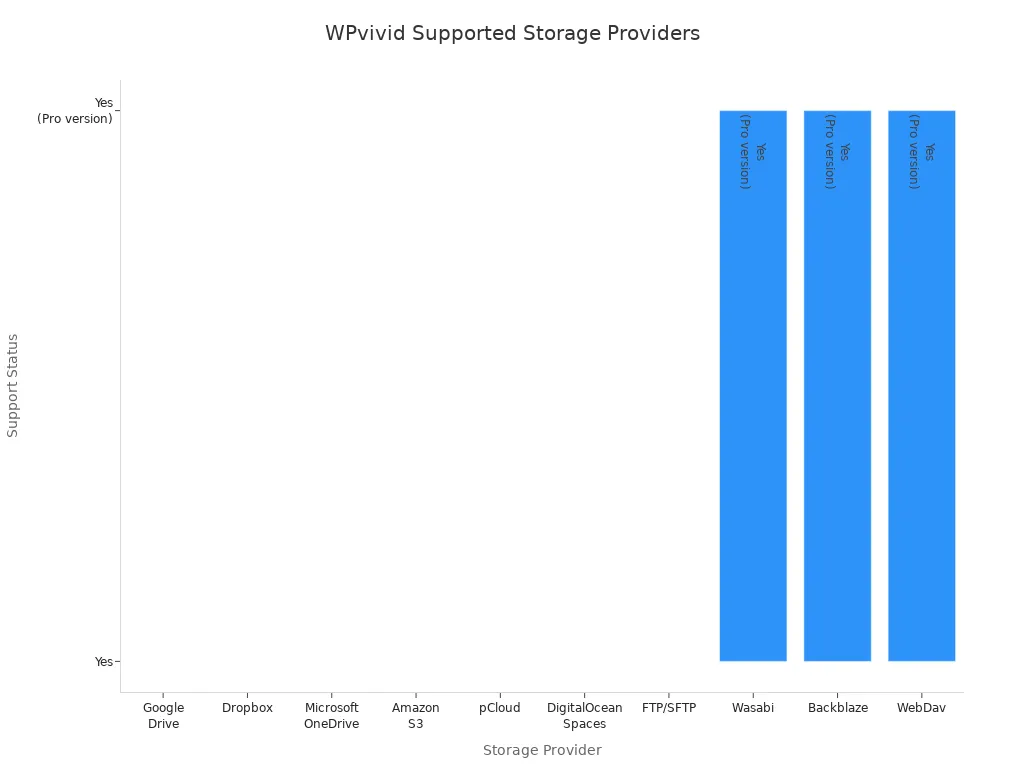
WP Time Capsule lets you store backups on Google Drive, Dropbox, or Amazon S3. Both plugins give you control over where your backups go, but WPvivid offers more options.
Security
Security is a top concern for any website owner. Both plugins use secure methods to transfer and store your backups. WPvivid adds extra security by supporting encrypted backups and secure cloud storage. WP Time Capsule also keeps your data safe during real-time backups and restoration. You can trust both plugins to protect your site’s data.
Tip: Always check your backup and restoration and staging features before making big changes to your site.
Pricing Comparison

When you look for an affordable wordpress backup, you want to see a clear pricing comparison. Both WPvivid and WP Time Capsule offer paid plans, but their structures and value differ. This section helps you understand which backup plugin gives you the most affordable and reliable solution for your needs.
Free vs Paid
You will not find a free tier for either WPvivid or WP Time Capsule. Both plugins require payment to access their full backup features. Here is a quick pricing comparison:
Plugin | Free Tier | Paid Tier |
|---|---|---|
WP Time Capsule | No | Starting at $49/year |
WPvivid | No | Starting at $49/year |
You get all essential backup tools only with a paid plan. This makes it important to choose the most affordable option for your site.
Subscription vs Lifetime
You can choose between subscription and lifetime payment options for both plugins. Here is how they compare:
Both plugins offer lifetime licences. You pay once and use the backup software as long as it exists.
WPvivid’s lifetime licence is more affordable. You pay $299, which is $400 less than WP Time Capsule’s lifetime price.
This difference means you save more with WPvivid if you want a long-term, affordable backup solution.
Value
You want to know which plugin gives you the best value for your money. Here is a table showing the average cost per site:
Service | Average Cost per Site | Pricing Plan Details |
|---|---|---|
WPvivid Backup Pro | $29/year | Starting price |
WP Time Capsule | $49/year | Starting price, one-time payment at $149 |
WPvivid stands out as the more affordable choice for most users. You also get a 30-day free trial with WP Time Capsule, so you can test the backup features before you commit. When you compare pricing, backup features, and long-term value, WPvivid offers an affordable and flexible solution for your site.
Tip: Always check the money-back guarantee or trial period before you buy a backup plugin. This helps you make a risk-free decision.
Ease of Use
Setup
When you set up a WordPress backup plugin, you want the process to be quick and simple. Both WPvivid and WP Time Capsule focus on making setup easy for you. You do not need advanced skills to get started.
WPvivid gives you a user-friendly interface with a clear dashboard. You can set up your first backup in just a few clicks. The plugin guides you through each step, so you do not feel lost.
WP Time Capsule also offers a straightforward setup. The interface is clean, and you can find all options easily. You can connect your cloud storage and start your first backup without confusion.
You will find that both plugins let you schedule automatic backups during setup. This feature saves you time and helps you protect your site from the start.
Interface
The user-friendly interface is important when you manage backups. WPvivid stands out with its modern and simple design. You can see all backup options at a glance. The dashboard is easy to understand, even if you have never used a backup plugin before.
WP Time Capsule also aims for a user-friendly interface, but some users say it looks outdated. You may notice that the design feels less modern. However, you can still use the main features without trouble. The interface does not overwhelm you with too many choices.
Here is a quick comparison:
Plugin | User-Friendly Interface | Design Style |
|---|---|---|
WPvivid | Yes | Modern, simple |
WP Time Capsule | Yes (but outdated) | Older style |
Learning Curve
You want a backup solution that you can learn quickly. WPvivid makes this easy with its user-friendly interface. You can find backup, restore, and migration tools in one place. The plugin uses clear labels and simple menus.
WP Time Capsule also keeps the learning curve low. You can set up incremental backup jobs and manage your backups without reading long guides. The user-friendly interface helps you understand each step.
Tip: If you want a backup plugin that you can use right away, both WPvivid and WP Time Capsule are good choices. You do not need to spend hours learning how to use them.
Reliability & Performance
Backup Success
You want a backup plugin that works every time. WPvivid gives you a high backup success rate. Many users report that their backups complete without errors. You can choose full or partial backups, and the plugin handles large sites well. WP Time Capsule also performs well. Its incremental backup system means you only save changes, so the process is less likely to fail. You can see the status of each backup in the dashboard. Both plugins send you notifications if a backup does not finish.
Plugin | Backup Type | Success Rate | Notifications |
|---|---|---|---|
WPvivid | Full/Partial | Very High | Yes |
WP Time Capsule | Incremental | Very High | Yes |
Tip: Always check your backup logs to make sure your site is safe.
Restore Reliability
Restoring your site should be quick and easy. WPvivid lets you restore from any backup with one click. You can bring back your whole site or just certain files. Many users trust WPvivid because restores work even after big changes. WP Time Capsule also makes restores simple. You can roll back your site to any point in time. Its system uses the incremental backup method, so you can undo only the changes you want. Both plugins help you avoid downtime by making restores fast and reliable.
Speed
Speed matters when you run backups or restores. WPvivid completes full backups quickly, even for large sites. You can schedule backups at times when your site is less busy. WP Time Capsule stands out for speed because it only saves changes. This means backups finish faster and use less server power. Restores are also quick, as you only bring back what you need. If you want fast backup and restore times, both plugins deliver strong results.
Support & Documentation
Support Channels
You want reliable support when you use a WordPress backup plugin. Both WPvivid and WP Time Capsule offer several ways for you to get help. You can reach out through forums, email, or FAQs. The table below shows the main support channels for both plugins:
Support Channel | Description |
|---|---|
Forum Support | You can post questions and get answers from the plugin support forum on WordPress.org. |
Email Support | You can leave a message on the contact page and receive a reply soon. |
FAQs | You can check the FAQs section to find answers to common questions. |
WPvivid provides 24/7 customer support, so you can expect a quick response. WP Time Capsule also responds promptly, especially through email. You can solve most problems without waiting long.
Tip: If you face an urgent issue, try the forum or email support first. You often get faster answers there.
Documentation
Clear documentation helps you understand how to use backup plugins. WPvivid offers detailed guides and step-by-step instructions. You can find tutorials for backup, restore, migration, and staging. WP Time Capsule also provides helpful documentation. You can read guides about incremental backups, cloud storage, and staging environments.
You can use the documentation to set up your first backup or troubleshoot problems. Both plugins make it easy for you to learn, even if you are new to WordPress.
WPvivid’s documentation covers every feature in detail.
WP Time Capsule’s guides focus on incremental backups and cloud storage.
Community
A strong community can help you solve problems and share tips. WPvivid has an active user base on WordPress.org. You can join discussions, ask questions, and read reviews from other users. WP Time Capsule also has a loyal following. You can find advice in forums and social media groups.
You can learn from other users’ experiences. You can share your own tips and help others. Both plugins have communities that support you as you manage your website backups.
Note: You can benefit from joining plugin communities. You get answers, advice, and support from people who use the same tools.
Pros & Cons
WPvivid Pros & Cons
You want to know what makes WPvivid stand out and where it might not suit every user. Many users praise WPvivid for its simple interface and flexible features. You can back up your site with one click and restore it just as easily. The plugin offers incremental backups, which help you save space and time. You can migrate your site or create a staging environment without hassle. WPvivid provides lifetime pricing options, so you pay once and use it for years. The documentation helps you learn quickly, and scheduled backups run automatically.
Here is a table showing the most common pros and cons:
Pros of WPvivid | Cons of WPvivid |
|---|---|
No live chat support | |
Incremental backups | Limited free features |
Flexible site migration | Slight learning curve for migration |
Lifetime pricing options | Higher price for multi-site plans |
Minimal performance impact | |
Comprehensive documentation | |
User-friendly interface | Some advanced features require premium version |
Flexible remote storage | Shared hosting users may find issues with backup restoration from cloud storage |
Scheduled backups for automation | |
Simplified website migration | |
Staging environment creation | |
Extensive documentation |
You can see that WPvivid gives you many ways to protect your site, but some features need a paid plan.
WP Time Capsule Pros & Cons
WP Time Capsule focuses on real-time and incremental backups. You get easy restore points and cloud storage integration. The plugin is simple to set up, and you can test restores before making changes live. Many users like the affordable pricing and responsive support. You can use a free trial to test the plugin before you buy.
Here is a table comparing the main pros and cons:
Pros | Cons |
|---|---|
Real-time backups | Cost after trial |
Incremental backups | Complexity for beginners |
Easy restore points | Dependence on cloud storage |
Cloud storage integration | Only Amazon S3 provides 365 days of restore points |
Test restore feature | Manual re-use of Google Drive tokens |
Easy to set up and use | Can increase server resource usage |
Responsive support | Questionable default settings |
WP Time Capsule gives you strong backup features, but you may need to learn more if you are new to WordPress.
Choosing the Right Plugin
When choosing the right plugin for your WordPress site, you need to think about your experience level, your budget, and the size of your website. Each plugin offers unique strengths. Let’s look at which solution fits best for different users.
For Beginners
If you are new to WordPress, you want a plugin that is easy to use and offers strong support. WPvivid stands out for beginners because it gives you a simple interface and clear instructions. You can create a backup with just one click. The plugin also lets you schedule automatic backups, so you do not have to remember to do it yourself. Support is always available if you get stuck.
Here is a table to help you see what matters most for beginners:
Feature | Description |
|---|---|
Simplifies the backup process for beginners. | |
Automatic scheduled backups | Ensures regular backups without manual intervention. |
Comprehensive support | Provides accessible help for new users. |
WP Time Capsule also offers a simple setup and a clean dashboard. However, its focus on incremental backups may feel less familiar if you have never used a backup plugin before. If you want a straightforward start, WPvivid makes the process easy and stress-free.
Tip: Choose a plugin that helps you set up your first backup quickly and gives you support when you need it.
For Advanced Users
If you are an advanced user, developer, or agency, you need more than just basic backup features. You want tools that help you manage multiple sites, test changes, and work efficiently. WPvivid offers migration, staging, and flexible storage options. You can move sites, create test environments, and store backups in many places.
WP Time Capsule appeals to advanced users with its real-time incremental backups and staging environment. Agencies and developers can use its white-label features to manage client sites without extra branding. You can monitor all your sites from one dashboard, which saves time.
Other popular plugins for advanced users include:
UpdraftPlus: Quick backups, easy restoration, migration, and multiple storage options.
NS Cloner: Fast site cloning and easy staging for teams.
Duplicator: Simple migrations, secure backups, and one-click restores.
InstaWP Connect: Quick staging, free environments, and easy migration.
You should look for a plugin that matches your workflow and gives you control over your sites.
For Budget-Conscious
If you want to save money, you need a plugin that gives you the best value for your budget. WPvivid offers affordable pricing and a lifetime plan, so you pay once and use it for years. You get many features, including remote storage and database optimisation, without extra cost.
Here is a quick comparison of what budget-conscious users often look for:
Pros | Cons |
|---|---|
Interface can be less user-friendly | |
Supports remote storage | Advanced features need premium version |
Database optimisation | Some users want a more polished interface |
WP Time Capsule also offers a free trial and flexible plans. However, its lifetime licence costs more than WPvivid’s. If you want to keep costs low and still get strong backup features, WPvivid is a smart choice.
Note: Always check if the plugin offers a money-back guarantee or a free trial before you buy.
For Large Sites
Large sites and agencies need a plugin that can handle many sites at once. You want easy management, strong performance, and features that scale. WPvivid lets you manage backups for multiple sites and supports many cloud storage options. You can automate backups and migrations, which saves time.
WP Time Capsule gives you a central dashboard for all your sites. Its white-label options help agencies offer backup services to clients. You can manage dozens or even hundreds of sites without logging into each one.
Here is a table comparing features for large sites:
Feature | Centralised Dashboard | Multi-site Support | Scalability |
|---|---|---|---|
WPvivid | No | Yes | Good for many sites |
WP Time Capsule | Yes | Yes | Designed for large scale |
Agencies report that using a central dashboard and automated backups saves time and reduces downtime. If you manage many sites, WP Time Capsule’s dashboard and white-label features make it a strong option. WPvivid also works well for large sites, especially if you want flexible storage and migration tools.
Choosing the right plugin depends on your site’s size, your workflow, and how much control you want over your backups.
You should always match your plugin choice to your needs. Beginners may prefer WPvivid for its simplicity. Advanced users and agencies might choose WP Time Capsule for its dashboard and real-time features. Budget-conscious users often find WPvivid offers the best value. Large sites benefit from both plugins, but WP Time Capsule’s central management stands out.
You have seen how WPvivid and WP Time Capsule serve different needs. WPvivid suits you if you want a full-featured, affordable backup tool. WP Time Capsule works best if you need real-time, incremental backups and a central dashboard.
Before you decide, list your site’s needs and try the free trials.
You can also read more reviews or ask for advice in plugin communities. Choose the plugin that matches your workflow and budget.
FAQ
Which plugin offers better value for money?
You get more features for a lower price with WPvivid. WP Time Capsule costs more, especially for lifetime access. If you want to save money and still have strong backup tools, WPvivid gives you better value.
Can I use both plugins for large WordPress sites?
Yes, you can use both plugins for large sites. WPvivid supports multiple sites and offers flexible storage. WP Time Capsule provides a central dashboard, which helps you manage many sites easily.
Which plugin is easier for beginners to use?
WPvivid gives you a simple interface and clear instructions. You can start backups with one click. WP Time Capsule also has an easy setup, but its focus on incremental backups may confuse new users at first.
Do both plugins support cloud storage?
Yes, both plugins support cloud storage. WPvivid lets you use Google Drive, Dropbox, Amazon S3, and more. WP Time Capsule supports Google Drive, Dropbox, and Amazon S3.
How do the restore features compare?
You can restore your site with one click using either plugin. WPvivid allows full or partial restores. WP Time Capsule lets you roll back to any backup point. Both make restoring your site quick and easy.